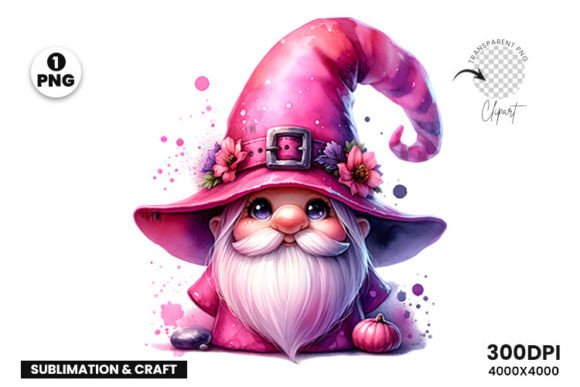
Valentine’s Day Love Clipart Watercolor: Choosing and Using It Wisely
There’s something undeniably charming about watercolor art. The soft bleeding edges, the subtle gradients, and the handmade feel add a layer of warmth and emotion that flat digital graphics often struggle to capture. When Valentine’s Day rolls around, watercolor clipart—featuring roses, hearts, love letters, and cupids—becomes a go-to resource for creators looking to make something special.
Whether you are designing a card for a loved one, creating social media content for a small business, or putting together a classroom activity, the appeal is obvious. It gives your project an artistic, romantic quality in seconds. But as popular as these graphics are, there are several common pitfalls that can turn a beautiful design into a frustrating mess. Understanding these mistakes before you download or purchase your next set will save you time, money, and a fair amount of disappointment.
Let’s walk through the most critical checkpoints so you can use Valentine’s Day love clipart watercolor assets confidently, no matter your skill level.
1. Overlooking the Fine Print on Licensing
This is arguably the most expensive mistake you can make. It is easy to assume that if you buy a digital file, you own the rights to use it however you wish. That assumption can cost you dearly. Most watercolor clipart sets come with a license, and the terms vary widely between sellers and marketplaces.
A common scenario involves a small business owner who purchases a beautiful set of watercolor hearts to use on product packaging. They later discover the license strictly limits use to “personal projects only” or caps print runs at a few hundred units. Using the artwork beyond those terms puts you at legal risk, even if the infringement was accidental.
What to do instead: Before you click “buy,” scroll straight to the licensing terms. Look for keywords like “commercial use,” “CU,” or “extended license.” If you plan to sell products on Etsy, Amazon, or in a physical store, confirm that the license covers your specific use case. Reputable sellers on platforms like Creative Market and Design Cuts clearly state whether the set is for personal use, small business use, or unlimited commercial use. When in doubt, message the seller directly. It is always better to ask upfront than to scramble for an alternative later.
2. Confusing Resolution with Pixel Dimensions
Watercolor clipart is usually provided as raster files, typically PNGs with transparent backgrounds. This means they are made of pixels. If the original file is small, blowing it up for a banner or poster will result in blurry, jagged edges that completely ruin the soft watercolor effect you were aiming for.
Many beginners see “high resolution” in a product description and assume it is suitable for everything. But a 1000 x 1000 pixel file at 72 DPI looks great on a screen and terrible on a printed card. The organic texture of watercolor relies heavily on crisp detail, so losing resolution is especially noticeable.
What to look for: Always check the pixel dimensions and the DPI (dots per inch). For print projects, you want at least 300 DPI. A file that is 3000 x 3000 pixels at 300 DPI gives you a 10-inch print at full quality. For large posters or banners, you might need even larger files or, if possible, vector-based watercolor illustrations (usually provided in EPS or AI formats) that can be scaled infinitely without quality loss.
3. Mixing Incompatible Art Styles
Just because something is categorized as “watercolor” does not mean it will work with every other design element in your project. There is a vast difference between a bright, modern watercolor splash with clean edges and a vintage, distressed watercolor rose with rough, textured borders. Placing them together in the same composition can create visual friction.
A common mistake is buying a set because the individual pieces are pretty, without considering how they fit the overall brand or project theme. A sleek, minimalist modern logo paired with highly detailed, romantic Victorian-style watercolor clipart will look disjointed rather than curated.
How to maintain cohesion: Before selecting your clipart, define the mood for your project. Are you going for rustic and botanical? Clean and minimalist? Whimsical and playful? Stick to clipart that was designed as part of a cohesive set or by the same artist. Good designers create collections where the line weight, saturation, and texture level are consistent. If you are mixing sets from different sources, test them side-by-side in a mockup first to see if they truly complement each other or clash.
4. Misunderstanding the “Watercolor” Effect
Not all watercolor clipart is created equal. Some is genuinely hand-painted with real pigments, scanned at high resolution, and carefully cleaned up. Other sets are created entirely in digital software using brushes that mimic a watercolor look. Both have their place, but they behave differently in designs.
The problem arises when a set claims to be “authentic watercolor” but was actually generated with a simple filter that lacks the depth and variation of the real thing. The result can feel flat, overly saturated, or even plastic-looking. For a discerning audience—such as clients paying for wedding invitations or high-end branding—fake watercolor effects can cheapen the entire project.
How to spot the difference: Look at the sample images carefully. Genuine watercolor has subtle imperfections: color pooling at the edges, slight variations in texture, and organic, non-uniform shapes. If every element in the set looks perfectly uniform with identical edge behaviors, it was likely digitally simulated. Read the product description. Good sellers will tell you exactly how the art was created. If authenticity matters for your project, seek out artists who share photos of their painting process or offer scans of physical artwork.
5. Ignoring the Background and Layering Needs
One of the main reasons people choose PNG watercolor clipart is the transparent background. It promises easy drop-in use. However, transparent backgrounds can present challenges if not handled correctly. A white or light-colored edge, often called a “halo,” can appear around the clipart if it was not cut out cleanly. This is especially visible when placing the art on a dark or colored background.
Another common issue is layering. Watercolor effects rely on the interaction of color and paper texture. If you stack multiple watercolor elements on top of each other without adjusting blend modes or opacity, they can turn into a muddy, opaque blob instead of retaining their delicate translucent charm.
Practical solutions: When purchasing, check the reviews to see if other buyers mention issues with halos or poor cutouts. In your design software (Canva, Photoshop, Procreate), experiment with blend modes like “Multiply” for watercolor elements. Multiply allows the layers beneath to show through, preserving the authentic translucent layering effect that makes watercolor so beautiful. Always preview your composition on the exact background color you plan to use for the final product.
6. Buying a Disorganized or Incomplete Set
You find the perfect set of watercolor roses. It looks stunning in the preview. You buy it, download it, and open the folder to find a chaotic list of files named “PNG_01,” “PNG_02,” “Untitled_Artwork_5,” and so on. Worse, you might discover that the set only contains full bouquets when what you really needed were individual leaves and petals to build your own arrangement.
This organizational oversight can kill your creative momentum. Sifting through dozens of poorly named files wastes time, and an incomplete set forces you to compromise on your design vision or purchase additional assets to fill the gaps.
What to check before buying: Look at the product description to see exactly what is included. Quality sets often include a mix of individual elements (single flowers, leaves, hearts) and pre-made compositions (bouquets, wreaths, frames). Check if the files are organized into folders or if the filenames are descriptive. Some sellers even include a quick reference sheet or a digital catalog within the download. A well-organized set is a sign of a professional seller who respects your time and workflow.
7. Neglecting to Test Color Compatibility
Valentine’s Day palettes are notoriously specific. Think classic reds, dusty pinks, creamy whites, and deep burgundies. However, the exact shades in a clipart set can vary significantly from what you see on your screen. A pink that looks soft and blush on a seller’s monitor might appear fluorescent or washed out on yours due to different screen calibrations.
Using a clipart set that clashes with your established brand colors or the specific theme of your project creates a noticeable disconnect. If you are designing for a client, skipping this check can lead to uncomfortable conversations and costly revisions.
How to avoid color mismatches: Request a sample file if possible, or look for sets that include a color palette swatch. Before committing to a large download, test the colors against your project’s palette. You can often do this by dropping a preview image into your design software and using a color picker to sample the main hues. If the colors are close to what you need but not perfect, you can adjust them using hue and saturation tools—just ensure the license allows modifications.
Valentine’s Day love clipart watercolor assets can elevate your projects from ordinary to deeply personal and professional. The key is to approach the selection process with the same care you put into the design itself. By checking the license, verifying the resolution, matching the style, and testing the files before you commit, you avoid the common headaches that trip up even experienced creators.
Take a few extra minutes to review the details, and you will have a versatile library of gorgeous art that works beautifully every time you use it.